
How to Access the APIs
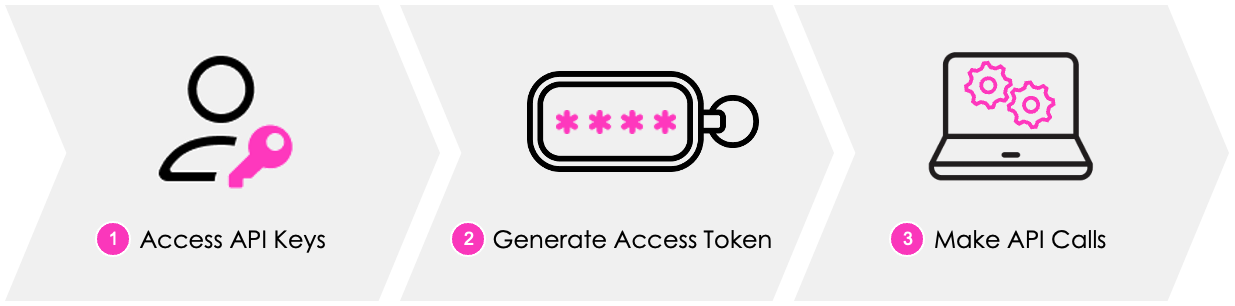
1. Access API keys
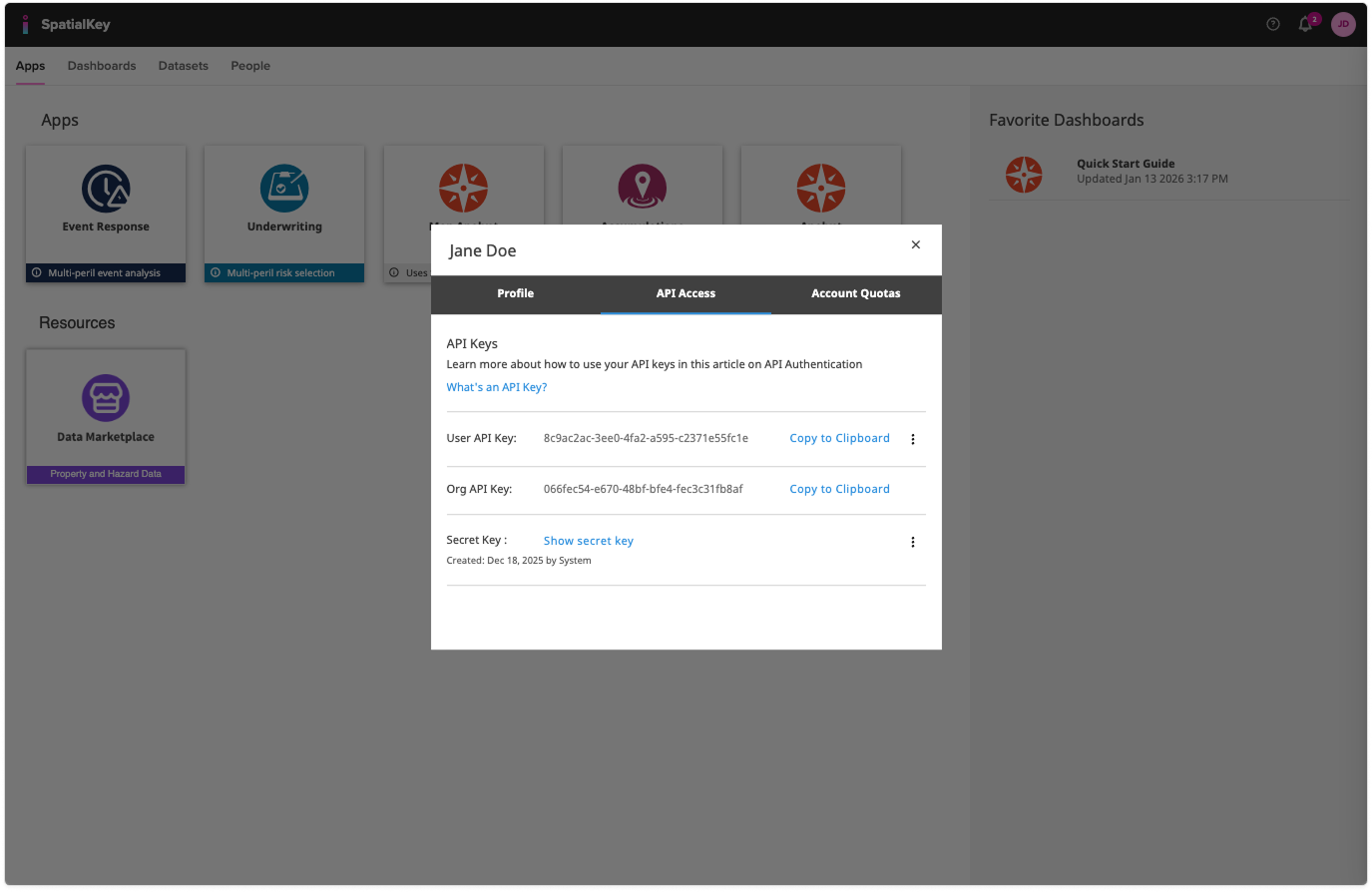
To use the APIs, you need to have access to the following three API keys:
- User API Key
- Org API Key
- Secret Key
Only Data or Super Admins can access all 3 keys.
Click the “API Access” tab on your profile page to find the User API key, Org API Key, and Secret Key.
2. Generate an Access Token
To make authentication secure, you’ll use an encrypted, time-sensitive token (valid for up to 1 hour) to pass your keys over to SpatialKey. An access token will be created that can be used to make API calls.
3. Make API calls
Use the access token each time you make a call to one of our APIs to authenticate.
Accessing the Full API Documentation
In addition to the basics above, SpatialKey provides full API documentation that includes:
- Detailed authentication workflows
- Swagger interactive documentation
- Postman collections and sample requests
- Endpoint-by-endpoint descriptions and expected responses
These resources make it easier to understand how to authenticate, explore available endpoints, and test requests without writing code from scratch.
Where to Find the API Documentation
If you have permission to view the API documentation, you’ll see a link in the Help menu labeled: “API Documentation”
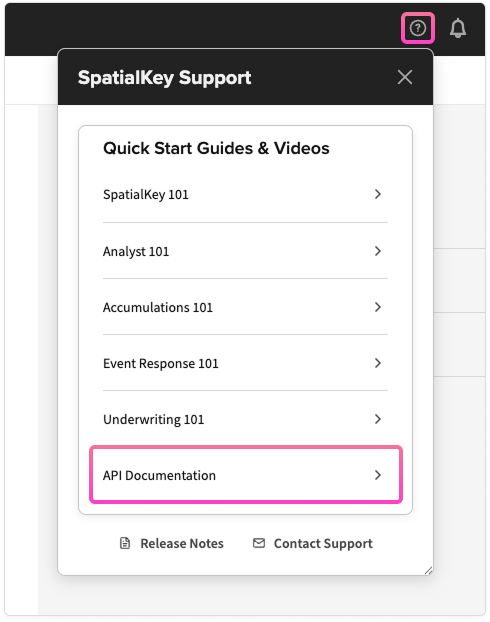
This link takes you to the full set of developer docs, including Swagger UI and downloadable Postman samples.
Don’t See the Link?
Access to the API documentation is permission-controlled. If you’re expecting access and don’t see “API Documentation” in your Help menu or instead see a link labeled “API 101,” contact SpatialKey Support to request access.
Once access is granted, the documentation link will automatically appear in your Help menu.
Was this helpful?