
SpatialKey provides access to premium high‑resolution aerial imagery from Vexcel, enabling analysts to view precise, near‑ground‑level detail for property and location assessments. This feature is designed to support underwriting, claims, and catastrophe response workflows where clarity and accuracy are critical.
What this article covers:
- What Is High-Resolution Imagery?
- Blue Sky vs. Gray Sky Imagery
- How to Access High‑Resolution Imagery
- Understanding Cost and Tile Usage
- Zoom In To View Imagery
What Is High‑Resolution Imagery?
High‑resolution imagery from Vexcel offers detailed, up‑to‑date aerial views captured at very fine spatial resolution. The imagery covers 99.6% of the U.S. population and includes capture areas across urban, suburban, and rural regions. When enabled in SpatialKey, users can zoom in to see structures, vegetation, streets, and parcel‑level details with exceptional clarity—far beyond standard basemap imagery. Vexcel offers both Blue Sky and Gray Sky Imagery.
Blue Sky vs. Gray Sky Imagery (Vexcel High-Resolution Imagery)
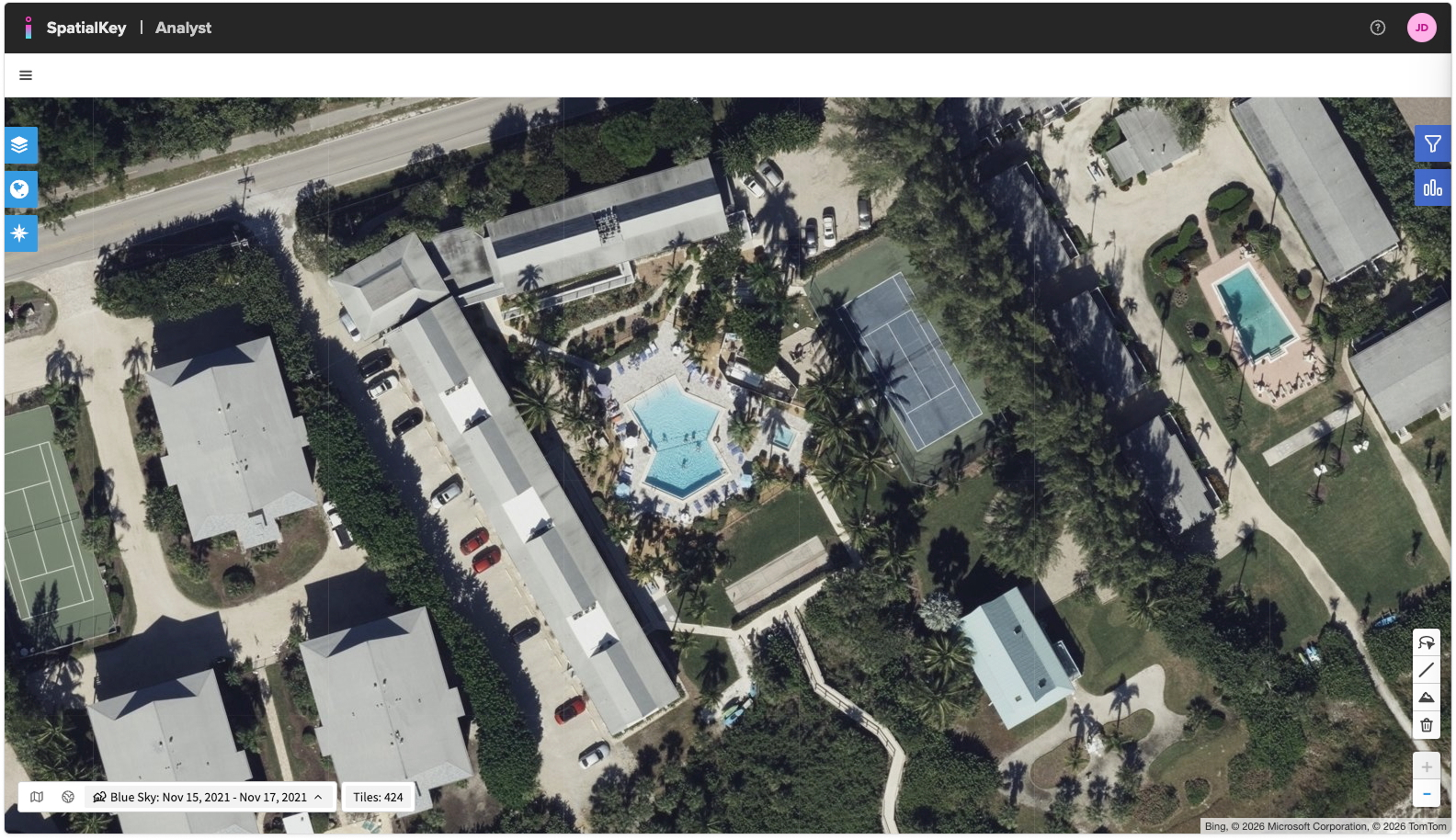
- Blue Sky imagery refers to aerial imagery captured under normal conditions. It represents the baseline view of properties and is commonly used for underwriting, exposure analysis, and general property review.
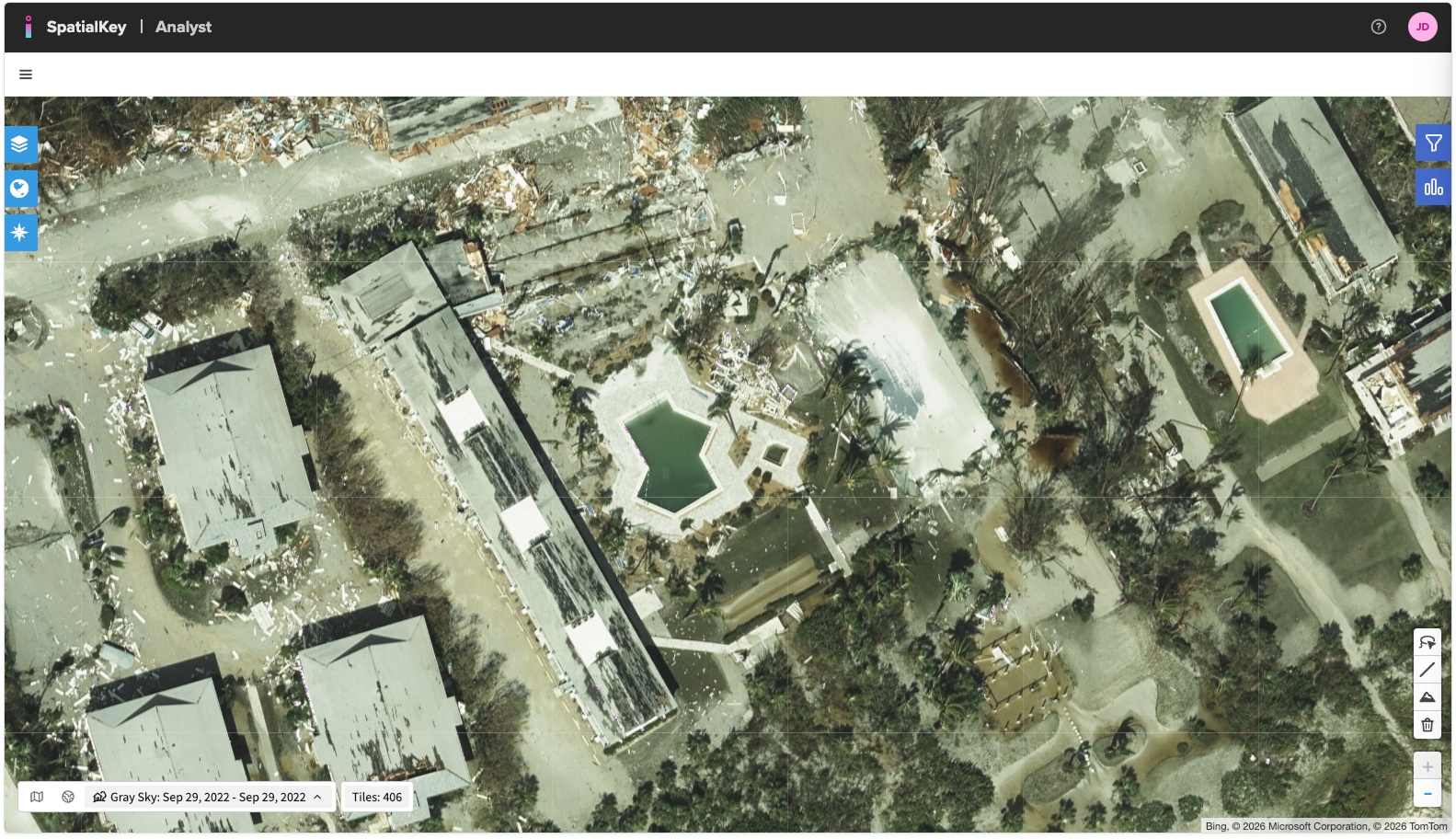
- Gray Sky imagery refers to post-event aerial imagery captured by a fleet of aircraft across the U.S. shortly after a catastrophe. It is flown specifically to document damage conditions, often under less controlled lighting and atmospheric conditions due to the urgency of post-event collection. Vexcel focuses on disasters that impact commercial and residential properties across the United States, focusing on hurricanes, tornadoes, and wildfires.
Gray Sky imagery is primarily used for claims review, damage assessment, and event response, allowing users to visually compare post-event conditions against pre-event Blue Sky imagery.
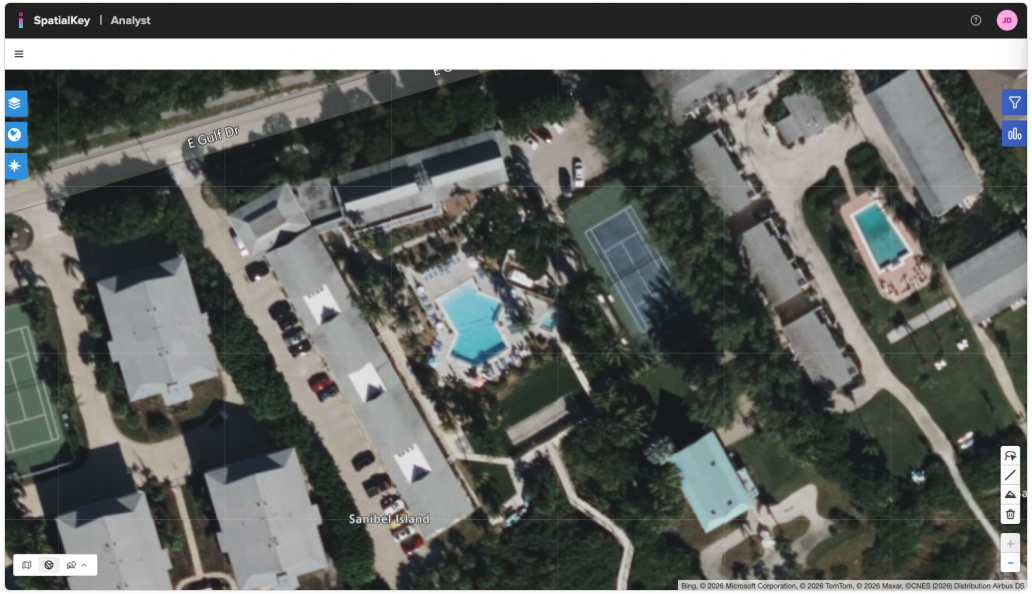
Here are three example images:
- Lower‑resolution base map
- High‑Res Blue Sky imagery captured before Hurricane Ian
- High‑Res Gray Sky imagery captured after the storm
How to Access High‑Resolution Imagery
Zoom in to a location and click the High Res Imagery icon
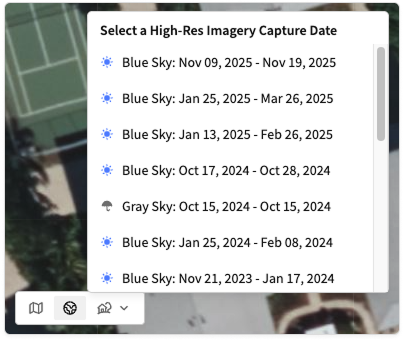
You can find the imagery toggle in the lower-left corner of your map. The available options are Street View, Hybrid View, and High‑Res Imagery.

When you select the High‑Res Imagery icon, a dropdown will appear showing all imagery capture dates (vintages) available for the area currently in view. In many locations, you may see multiple capture dates, including both Blue Sky and Gray Sky imagery. The blue and gray icons help you easily distinguish between the two types.
Understanding Cost and Tile Usage
Viewing high‑resolution imagery incurs tile‑based usage costs. When you first access the content, SpatialKey displays a confirmation dialog explaining cost behavior. Users can choose “Don’t show me this again” if they prefer not to see the prompt in future sessions. Tiles are cached during your session so you won’t be charged for repeated requests.
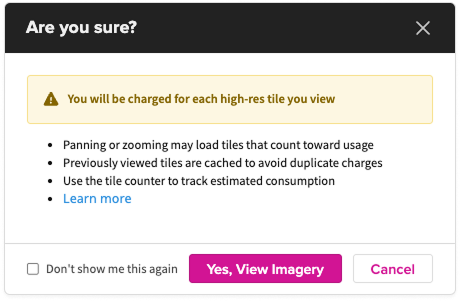
The Tile Counter next to the imagery toggle can help you get an estimate on how many tiles you are loading as you view the imagery. This count is provided for reference only.

Tile Pricing
We offer two billing approaches: a packaged plan that includes a set number of tiles, and a pay‑as‑you‑go option that charges per tile with no upfront commitment.
Package Plan: Access a set number of tiles included in your organization’s contract. You’re only charged extra if you exceed your package limits. The following table outlines the per‑tile fees for each product. For details on package limits, contact your customer success representative.
| Product | Within Package Limit | Overage |
|---|---|---|
| Blue Sky Tiles | $ 0.211 | $ 0.325 |
| Gray Sky Tiles | $ 0.390 | $ 0.520 |
Pay‑as‑You‑Go: Start with $0 down and no commitments. Use as many tiles as you need and pay the per‑tile fee as usage occurs (Blue Sky: $0.325; Gray Sky: $0.520).
Key Points on Billing:
- Each high‑resolution tile you view is billable.
- Overage rates are charged when usage exceeds the allotted package limit.
- If you zoom in to levels where high‑resolution imagery is active (typically around zoom level 20 and above), any visible tiles will count toward usage. Panning the map in these zoom levels may load additional high‑resolution tiles, which are also billable.
- If you zoom out beyond the high‑resolution threshold, SpatialKey automatically switches back to the base map. At those wider zoom levels, no high‑resolution tiles are displayed, and you will not incur charges.
- Tile caching applies for one session, allowing you to revisit recently viewed areas without additional charges.
Zoom In To View Imagery
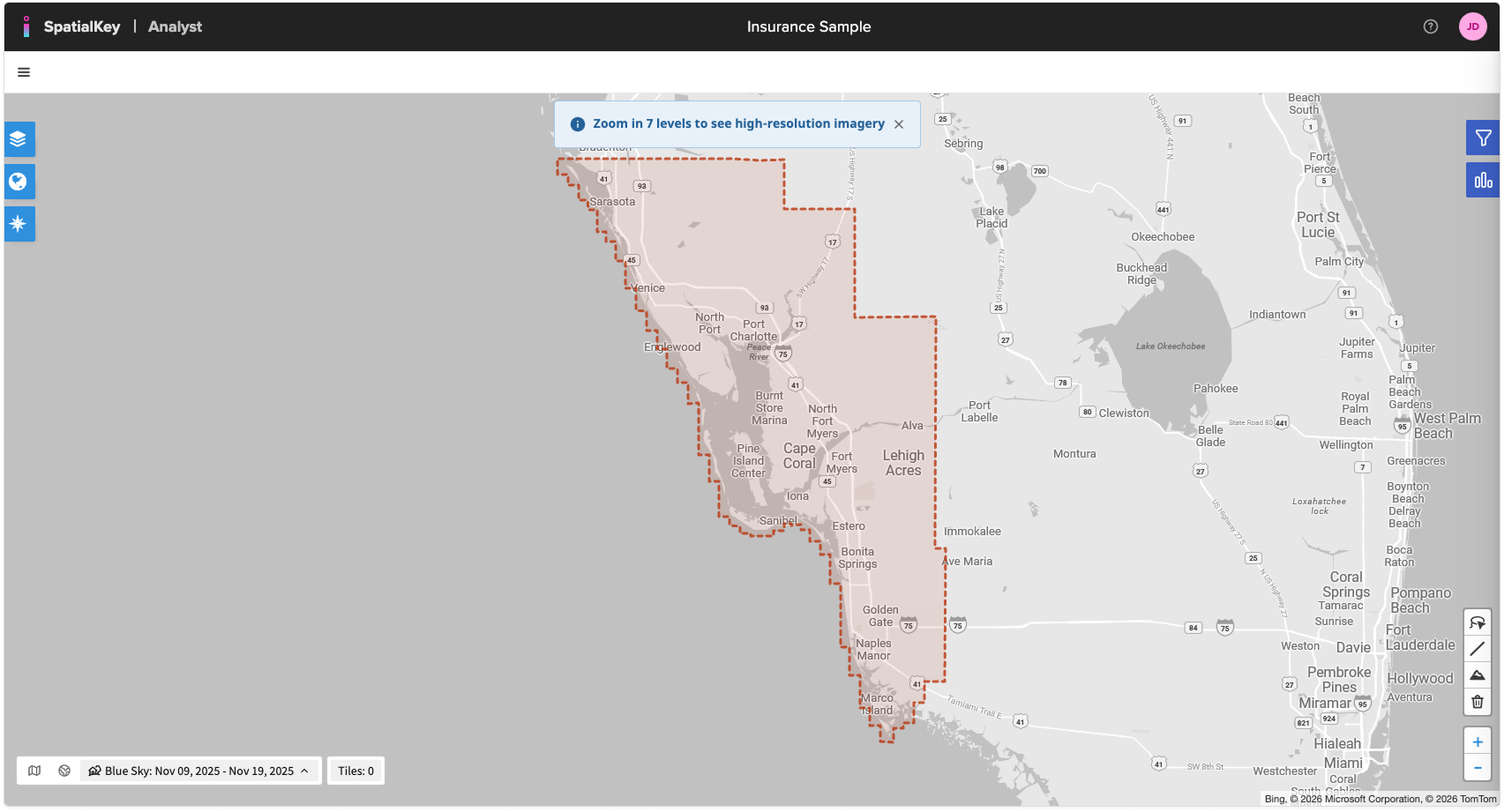
If you’re zoomed out too far, SpatialKey will highlight the areas where the selected high‑resolution imagery is available and prompt you to zoom in. These areas appear as shaded polygons on the map. Viewing these coverage extents does not incur any charges. Once you reach the required zoom level, SpatialKey automatically loads Vexcel high‑resolution tiles for the selected area.
Benefits of Vexcel High‑Resolution Imagery in SpatialKey
- Enhanced property visibility for underwriting and risk evaluation
- More accurate claims assessment through detailed roof, structure, and vegetation insights
- Better pre‑ and post‑event comparisons using multiple capture dates
- High confidence in spatial accuracy using industry‑leading Vexcel imagery
Was this helpful?