SpatialKey allows dataset Contributors and Creators/Editors to manipulate certain properties of imported columns (fields).  The properties that can be changed include:

  • Changing the name/label of a particular column
  • Adjust the format of a numeric field, including currency symbol when currency format is selected

These properties can be managed through the Datasets tab.  Click on the gear icon to view data settings, then select the “Fields” option on the left side of the screen. On the “Fields” tab, you can manage each column by clicking on the gear icons.
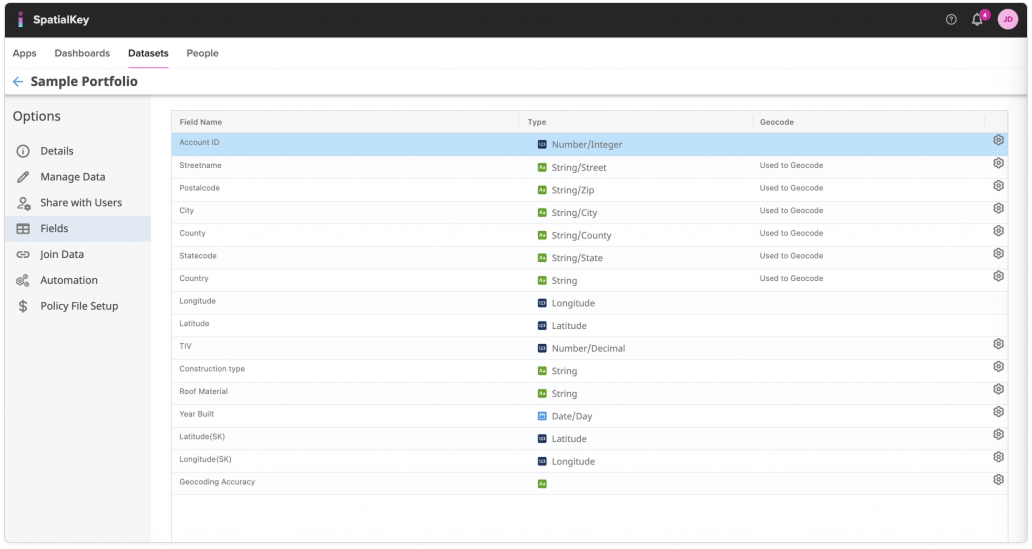
Image of the SpatialKey dataset Fields page, highlighting the gear (settings) icons aligned to the right of each field row. These settings icons allow users to change the format or configuration of individual fields—such as data type—within a table that lists field names, types, and geocode usage, with the Fields option selected in the left navigation.

Selecting the edit option will allow you to edit the label and adjust the display format for numeric fields.
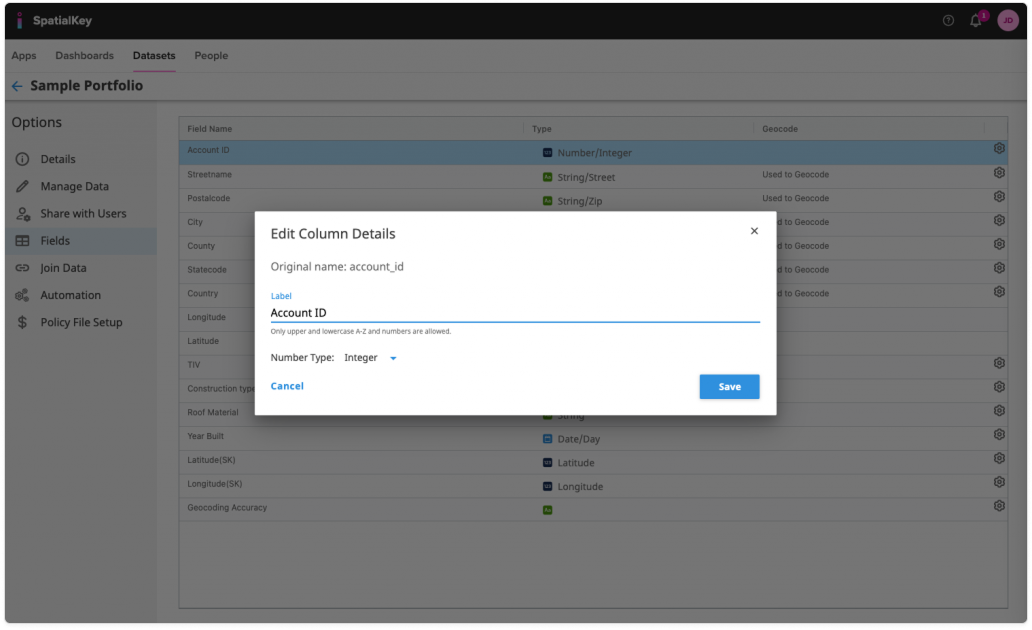
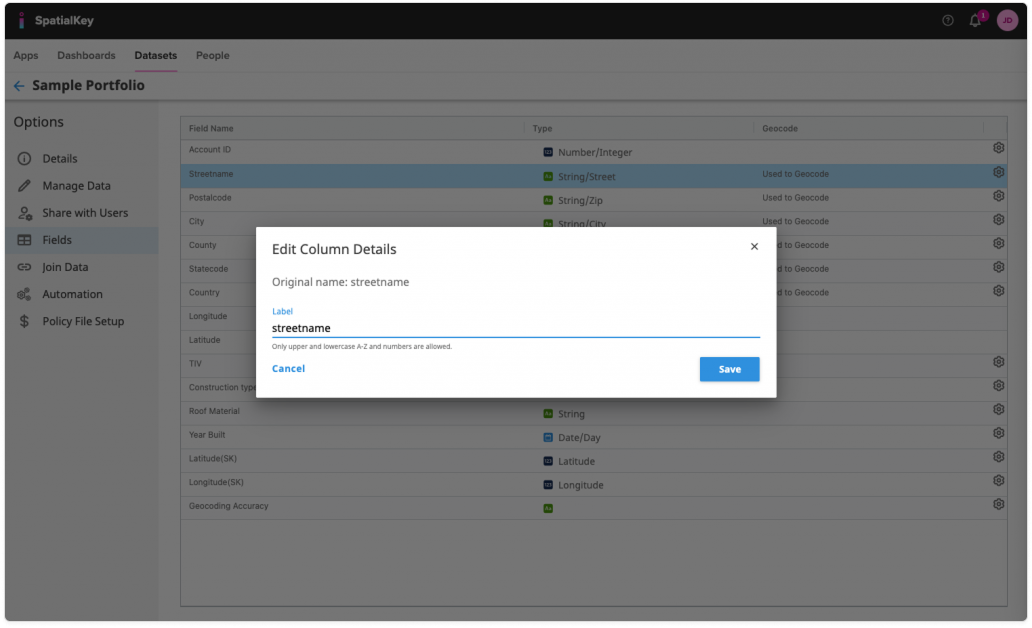
Image of the SpatialKey dataset Fields page with an ‘Edit Column Details’ modal open. The modal shows options to edit a numeric field’s label and number type, demonstrating how selecting the gear (settings) icon for a field allows users to change its format and configuration. The background displays the list of fields with their data types and geocoding usage.
Numeric field

Image of the SpatialKey dataset Fields page with an ‘Edit Column Details’ modal centered on the screen. The modal shows a text field labeled ‘streetname’ and illustrates how clicking the gear (settings) icon next to a field opens this dialog, allowing the user to change the field’s label or format. The background lists multiple fields with data types and settings icons aligned on the right.
Text field

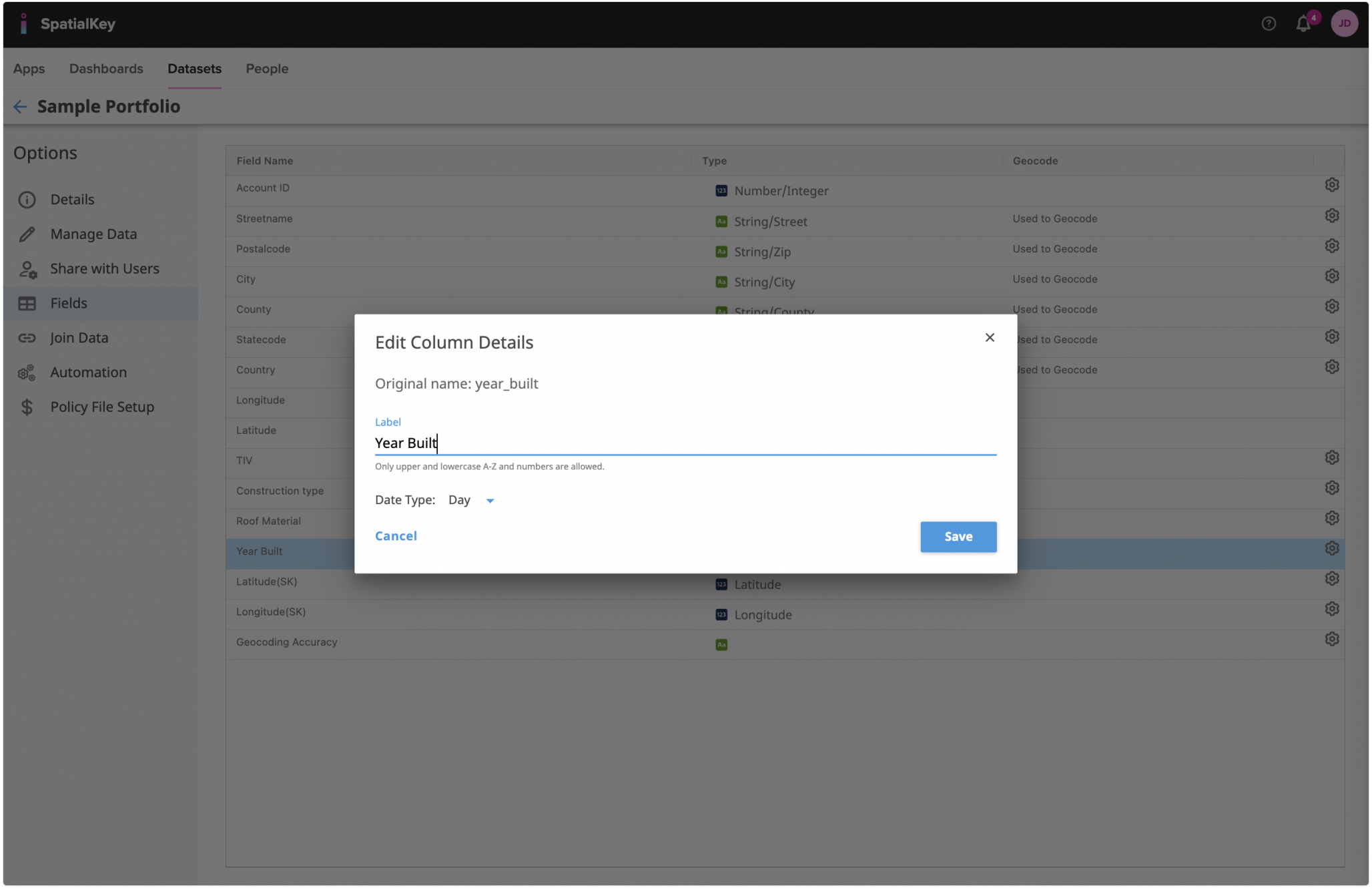
Image of the SpatialKey dataset Fields page with an ‘Edit Column Details’ modal open for a date field labeled ‘Year Built.’ The modal shows options to change the field label and select a date type, illustrating how clicking the gear (settings) icon for a field allows users to modify its format and configuration. The fields table with data types and geocoding indicators remains visible in the background.
Date field


Was this helpful?

Yes

No


Thanks for your feedback!

Tagged: