
Need quick access to a frequently used dashboard? Click the star icon next to any dashboard in the Dashboards tab to add it to the right panel on the home page.
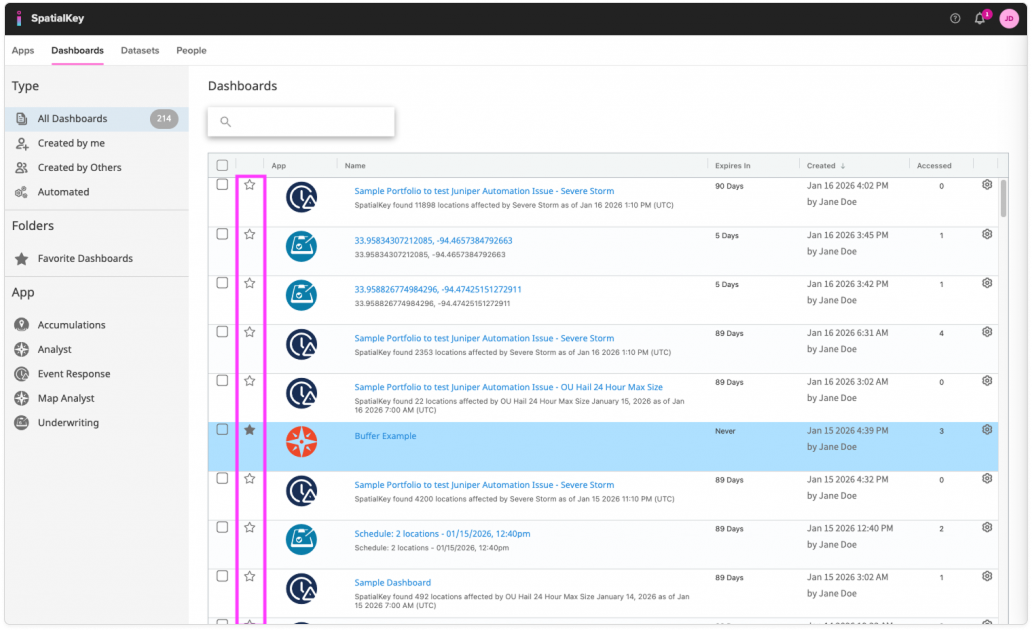
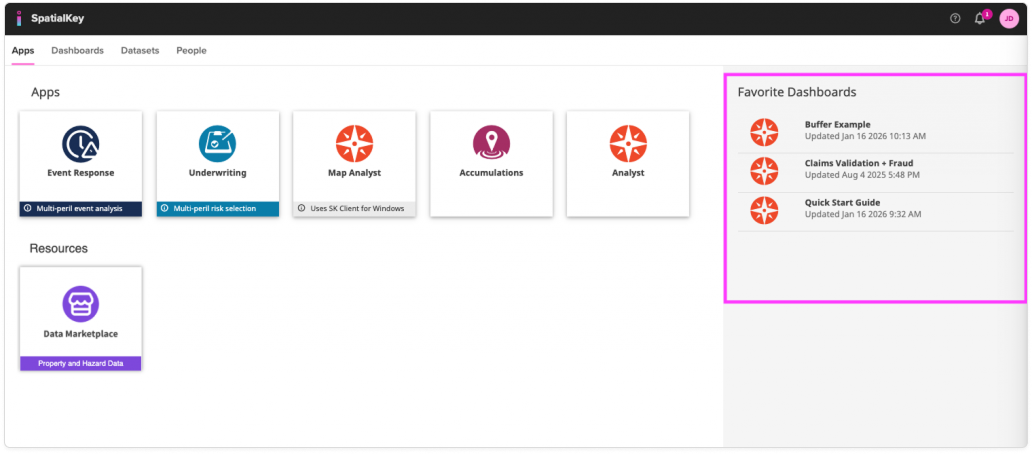
Image of the Dashboards page showing a list of dashboards. The star icon in the left column is highlighted, indicating the control used to mark a dashboard as a favorite.
Star your favorite dashboards
Image of the Apps page showing several app tiles. On the right, the ‘Favorite Dashboards’ panel is highlighted, displaying a list of favorited dashboards with their titles, icons, and last‑updated timestamps.
Favorites display in the right panel on the homepage

You can also quickly filter your list of dashboards by favorites by clicking Favorite Dashboards in the left navigation.
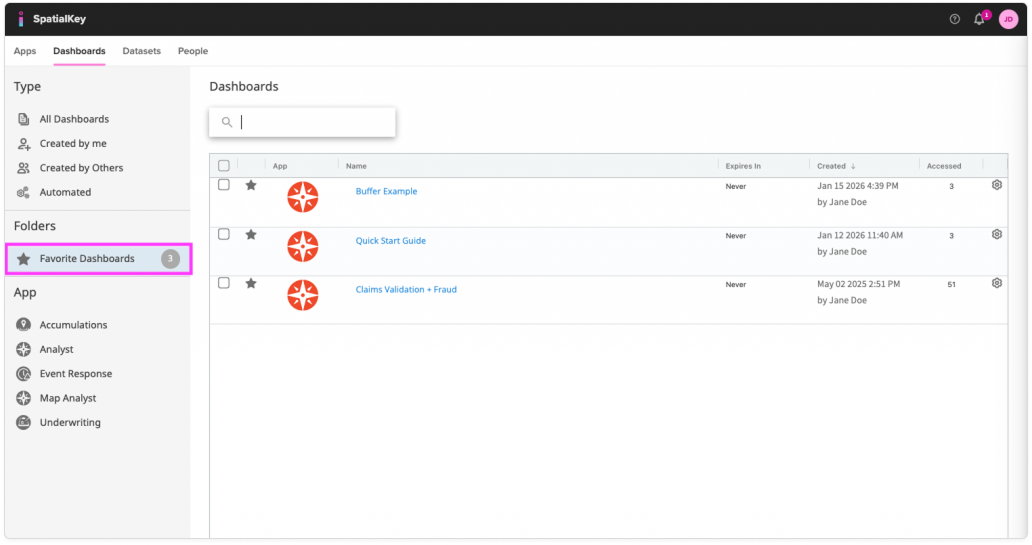
Image of the Dashboards page showing a list of dashboards. In the left navigation pane, the ‘Favorite Dashboards’ folder is highlighted, indicating where users can view dashboards they have marked as favorites.
Filter by favorites on the Dashboard tab

Was this helpful?

Yes

No


Thanks for your feedback!

Tagged: